
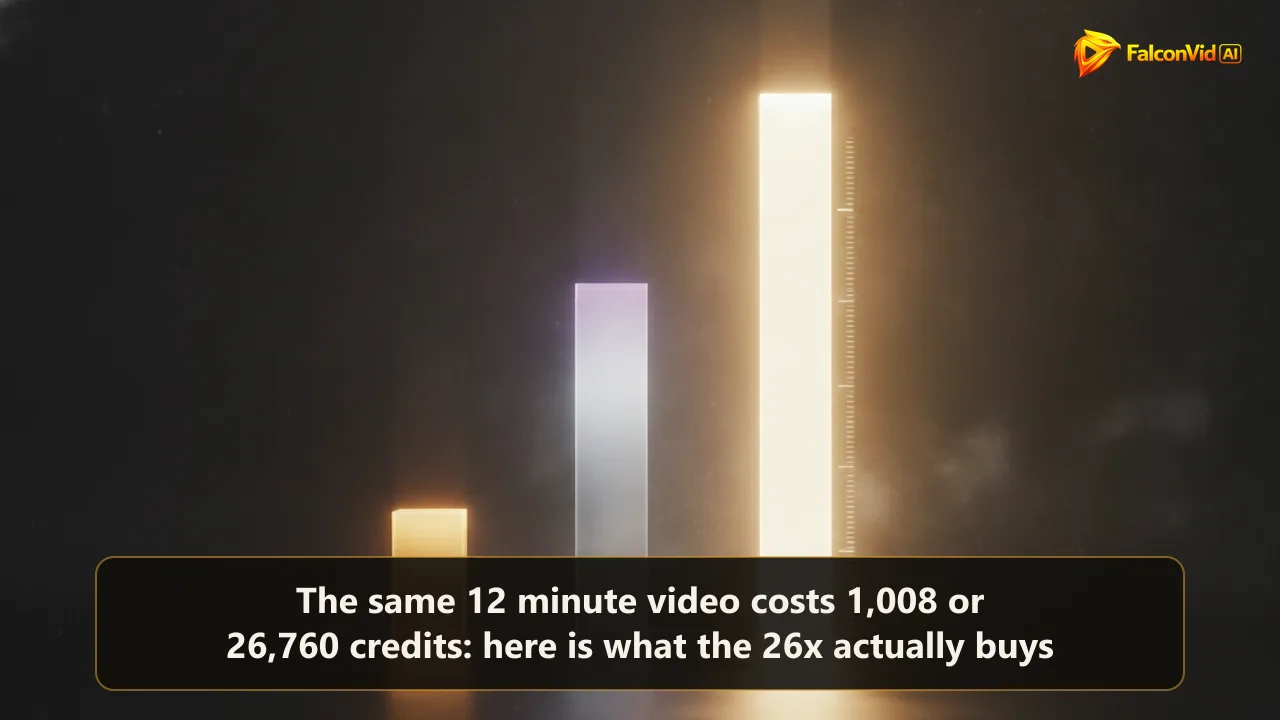
The three numbers, and the gap between them
Take one video. Twelve minutes long, narrated end to end, generated scenes, a thumbnail, captions, ready to upload. Now run it three times and change nothing except the quality level. Economy costs 1,731 credits. Balanced costs 4,597. Premium costs 16,131. That is 2.7 times from the first to the second, and 9.3 times from the first to the third.
Money makes the gap easier to feel. The same video requires different amounts of credits in economy, balanced, and premium. The script does not change. The length does not change. The viewer receives the same twelve minutes either way.
The reflex is to read that as a cheap version and a good version, pick a side, and apply it to the whole channel forever. That reflex burns more money than any other setting in this business, and it burns it in both directions. Some people pay 9 times more for videos nobody was ever going to finish. Others run everything on economy, including the four videos a year that actually deserved the budget. If you are still choosing the tool itself, what to compare before you subscribe to any generator covers that decision. This article is about the switch you touch after the tool is already chosen.
- Economy: 1,731 credits per 12 minute video
- Balanced: 4,597 credits
- Premium: 16,131 credits
- All three deliver the same twelve minutes of finished, publishable video
What is identical in all three modes, and it is the part that decides the video
Research and script are a single module, and that module bills 307 credits whether you are on economy or premium. Same words, same structure, same hook, same order of arguments. On an economy video those 307 credits are 18 percent of the entire bill. On a premium video they are 1.9 percent, a rounding error you would never notice on the invoice.
That one fact reframes the whole decision. The piece that determines whether somebody is still watching at minute nine is exactly the same piece in all three modes. Retention is written, not rendered. A weak first thirty seconds fails identically at 1,731 credits and at 16,131, and the expensive failure only hurts more because it cost more.
So the honest way to read the 9x is this. You are not buying a better video. You are buying better looking moving images inside the same video. That is a real thing to buy and it is worth paying for in specific, identifiable cases. It is simply not the thing most buyers believe they are paying for when they drag the slider to the right. Inside FalconVid that is literally one module: the research and script step bills the same 307 credits on every level, so moving the slider never touches the part that decides retention.
Where the 9x actually lives: about ninety generated clips
A twelve minute video is 720 seconds of screen time. Video generators return clips of roughly eight seconds, so a finished long form video is somewhere near ninety generated pieces stitched together. Ninety is the multiplier. Every fraction of a cent of difference between the modes gets multiplied by it, which is how a change that looks small per clip turns into a 9 fold gap on the bill.
Economy leans on still images with motion applied over them, using the cheaper image models in the stack at 63 and 107 credits each. Premium buys generated motion, the kind where a camera physically travels through a scene, water behaves like water, and a crowd is a crowd instead of a texture that suggests one. Neither is fake and neither is a trick. They are different amounts of computing, sold at different prices, ninety times over.
The honest test is the screen the video is watched on. Most YouTube viewing happens on a phone, where a large share of the premium detail is not physically resolvable. We ran the same argument about resolution in whether 4K is worth the extra credits, and the answer rhymes here: the upgrade is real, and the number of viewers who can see it is smaller than the invoice implies.
There is one exception worth memorizing, because it is where premium earns its price even on a six inch screen. Motion the human eye has watched a million times and knows intimately: hands doing something specific, a face turning, water, fire, smoke, an animal walking. Cheap motion on those subjects does not read as cheap, it reads as wrong, and wrong is what makes a viewer leave. None of that has anything to do with provenance, which is a separate question answered in whether a generated video can be identified at all.
None of the three modes fixes the handful of things a generated scene still fumbles, and the mode you pick does not change that list, only how often you notice it. The full list is in what an AI video generator cannot do.
The inversion nobody expects: the premium thumbnail is cheaper
The thumbnail module bills 479 credits on economy and 214 on premium. Read that twice, it is not a typo. Moving up costs less than half of what staying down costs, on the one asset that runs before anybody has watched a single second of your video.
The reason is process, not generosity. Economy reaches a finished cover through more steps and more attempts, while the premium image model produces it in a single pass. The arithmetic that comes out of it is the strangest line in the whole system, and it matters more than it sounds. Official click through rate on YouTube sits between 2 and 10 percent, and the cover has more leverage than anything else over where you land inside that band.
The practical consequence is uncomfortable for anyone optimizing for cost alone. On economy the thumbnail is 28 percent of the entire video budget. Regenerating a cover three times on economy costs 1,437 credits, almost as much as the twelve minute video it belongs to. On premium the same three attempts cost 642. If you are the kind of operator who iterates on covers, and you should be, the cheap mode stops being the cheap mode. Inside FalconVid the cover is its own module, so you regenerate it without rebuilding the video, and the level you happen to be on is what decides whether each attempt costs 479 or 214.
Narration is not where you save, and the numbers say so
Narration bills by the minute: 3 credits on economy, 24 on premium. Twelve minutes of speech is therefore 36 credits or 288 credits. Eight times more expensive on paper, and still only about 2 percent of an economy video and under 2 percent of a premium one.
People agonize over the voice line and ignore the animation line, which is backwards by two orders of magnitude. When narration sounds wrong the fix is almost never the budget. It is the voice you picked, the punctuation in the script, or a sentence built for the eye instead of the ear. All three are free to change and none of them require a more expensive mode.
There is a real trap here for anyone optimizing the wrong line. Downgrading narration on a twelve minute video saves 252 credits, which is about a seventh of one economy video per upload. Cancelling one badly chosen premium video saves 14,400. Same effort, nearly sixty times the result.
The face meter runs on its own clock and ignores your mode
The moment a face on screen speaks, a completely different meter starts, and it does not care which quality level you chose. Lip sync bills per second of face on screen: 32 credits on the standard avatar engine, 64 on the pro tier, 80 on HeyGen, 112 on OmniHuman 1.5. Per second, not per video.
Ninety seconds of talking face at the cheapest of those rates is 2,880 credits. An economy twelve minute video with a ninety second host therefore costs 1,731 plus 2,880, which is 4,611. The host is 62 percent of the bill on the mode you picked in order to save money. The full arithmetic of what an AI avatar costs walks through it second by second, including the doses that bring it back down.
The lesson is an ordering lesson. The quality level question is small next to the face question. Decide whether a face speaks and for how many seconds, then decide the mode. Doing it in the other order is how people end up confused about why the cheap video was not cheap. Inside FalconVid the face is a per project choice exactly like the quality level, which is what lets a channel run narration over b-roll on most videos and bring the host in only where it earns its 32 to 112 credits a second.
The four questions that decide the mode, per video and not per channel
There is no correct answer for a channel. There is a correct answer for a video, and it falls out of four questions you can run in under a minute.
The default that comes out of those questions is simple, and it is what experienced operators converge on: pilots run economy, winners get upgraded. You publish the test cheap, read the retention graph, and the two or three videos a quarter that clearly earned it get rebuilt or extended on a higher level. Time matters here too, because the modes do not take the same amount of it, and how long a twelve minute AI video really takes has the honest clock.
The policy that costs the most is the reverse one: paying premium for discovery. A niche test that dies at 300 views dies the same way at 1,731 credits and at 16,131, except one of them left you credits for nine more attempts.
- Will this video still be earning twelve months from now, or is it topical with a two week life?
- Does the story need motion the eye can audit, meaning hands, water, fire, crowds or animals?
- Is this a test of a niche, or a bet on one you have already proven?
- Is there a face on screen, and for how many seconds?
The 2027 arithmetic settles the argument on its own
From February 1, 2027, a channel entering the YouTube Partner Program needs 1,000 subscribers plus 8,000 public qualified watch hours in 365 days, double the old 4,000. Eight thousand hours is 480,000 minutes. A twelve minute video watched at 40 percent delivers 4.8 minutes per view, so the door opens at 100,000 views, and at 1,000 views per video that is 100 videos.
One hundred videos on economy is 173,100 credits. The same hundred on premium is 1,613,100 credits, which is about five months of the largest plan spent entirely on the entrance ticket. Nobody sane pays the second number, and nobody has to.
That is what mixing means in practice, and it is the honest way to plan a month. The catalogue that carries you through the door runs economy. The handful of videos that become the channel calling card, the ones that get pinned and linked and shared, run higher. The ratio is yours to set, and it is a decision you make a hundred times, not one decision you make once.
How FalconVid puts that switch in your hand, on every plan
Engine choice, economy to premium, is not a feature gated behind a bigger plan. The quality level applies to every plan, per project, and no creation capability is locked by tier. What changes between plans is volume, how many channels you run, and how many videos generate at the same time. That is the difference between a pricing table that sells access and one that sells capacity.
The volumes are published per plan, for twelve minute long form videos. Starter gives 15,000 credits, which is 8 videos on economy or three on balanced. Pro gives 30,000, so 17 on economy, six balanced or one premium. Business gives 95,000, which is 54 economy, 20 balanced or five premium. Agency gives 190,000, so 109 economy, 41 balanced or 11 premium. Scale gives 320,000, which is 184 economy videos, 69 balanced or 19 premium.
Nobody runs a real month in a single mode, which is why quoting the top number alone would be dishonest. A realistic Starter month is roughly 6 videos, most of them economy with one on balanced when a topic deserves it. When a month runs hot you top up instead of upgrading: credit packs are 2,000, 6,000, and 14,000, and they do not expire.
The mode is also not a one way door. When a finished video is 90 percent right, the Studio fixes it for 5 to 320 credits: shorten the intro, swap a piece of media, change the music, extend a scene. Regenerating from scratch costs 1,731 to 16,131. That gap is the entire reason the Studio exists, and it is why choosing economy for a first pass is not a risk. Meanwhile production runs in parallel, two simultaneous generations on Starter up to 50 on Scale, with a finished video landing in as little as thirty minutes.
To see the switch in context, an AI YouTube video generator that hands back a finished video shows what the pipeline produces at each level, and the full machine is on the FalconVid home page, where the channel, not the clip, is the unit of work.