
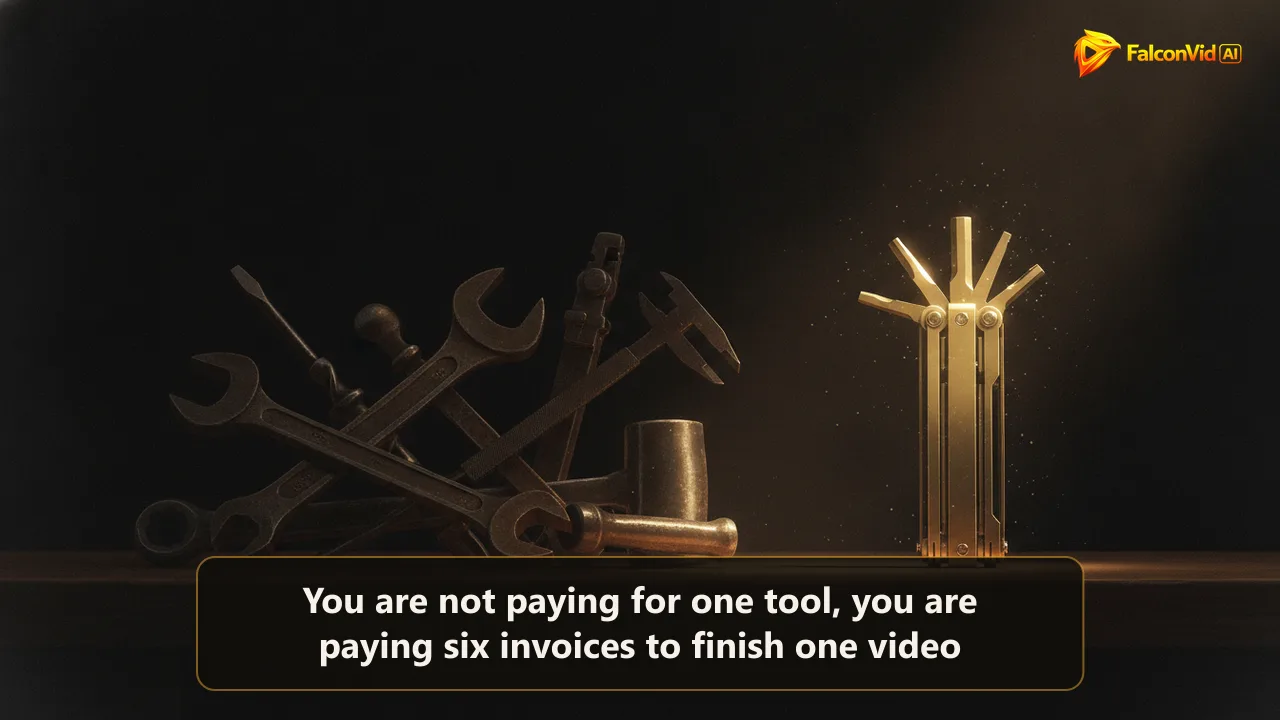
Nobody plans to pay for six tools, the stack just grows
No creator opens a spreadsheet and decides to rent six subscriptions. It grows by accident. You start with one AI writer for scripts, then the narration sounds flat so you add a voice tool, then the thumbnails look amateur so you buy a design app, then posting by hand eats your evenings so you add a scheduler. Six months in you are running a small software company just to upload three videos a week.
Counted honestly, a working faceless channel stack lands between 60 and 200 dollars a month once the free tiers run dry, and they always run dry. Idea tools cap your generations, voice tools meter your characters, schedulers gate the good features behind a higher plan. The sticker price you compared before buying is almost never the price you pay in month three.
The money is only half of it. The other half is the hand-off tax: the script is pasted into the voice tool, the audio dragged into an editor, the render sent to a thumbnail app, and the finished file pushed into a scheduler. That is five manual exports per video, each a place a format breaks at 11pm. This guide walks the six categories of youtube automation tools a channel actually uses, with an honest price band and a plain skip it if for each.
- Stack creep is the default: one tool becomes six without a single deliberate decision
- Real cost lands at 60 to 200 dollars a month once the free tiers run out, and they run out fast
- Five manual exports per video is a normal hand-off between six separate tools
- The price you compared before buying is rarely the price you pay by month three
- Every hand-off is a place a format breaks on the night you have no time to fix it
- The question is not which tool is best, it is which categories you truly need to pay for
All-in-one channel pipelines: the category that swallows the other five
This is the category that, done right, deletes the other five. An all in one channel pipeline takes a topic or a whole calendar and returns a finished, published video: it writes the script, generates the narration, assembles the footage, burns the captions, makes the thumbnail, and uploads on schedule. Instead of five tools handing files to each other, one system owns the assembly line from end to end.
Price bands here run from about 30 to 90 dollars a month by video volume. The saving is the whole chain: a faceless video that took 4 to 8 hours to assemble by hand across separate apps drops to the few minutes it takes to review it. For a channel publishing three or more times a week, that is the difference between a second job and a Sunday review window.
Skip it if the craft is the point. A cinematic channel that needs frame level cuts, hand drawn motion or a very specific editing signature will feel boxed in by any pipeline, and should keep a manual editor at the center. Skip it too if you publish once a month, because at that volume the hand assembly is a few hours you can absorb, and paying a monthly fee to save them rarely pays back.
- What it does: topic or calendar in, finished and published video out, no manual hand-off
- Price band: roughly 30 to 90 dollars a month by video volume
- Hours saved: a 4 to 8 hour manual assembly drops to a few minutes of review
- Best fit: three or more videos a week, where the hand-off tax hurts most
- Skip it if you need frame level editing control for a cinematic style
- Skip it if you publish once a month and can absorb the manual assembly
The research tools: finding ideas and spying on what already works
Two categories decide what you make before anything is produced. The first is idea and scripting AI: a general purpose writing model that turns a one line angle into a title, a hook and a full script. It runs from free to about 40 dollars a month, and saves the 2 to 4 hours a week most creators lose at a blank page, as long as you feed it a real angle rather than ask it to invent one.
The second is analytics and competitor spy: tools that show which videos in your niche are overperforming, their view to subscriber ratios, and the titles pulling the traffic. YouTube Studio analytics is free and covers your own channel. Paid spy tools that watch other channels run from about 30 to 80 dollars a month, turning a vague hunch about a niche into a ranked list of proven angles.
Skip the paid idea tool if you already have a backlog of real viewer questions, because your comments and search suggestions beat any model guessing and cost nothing. Skip the paid spy tool until you are past your first 1,000 subscribers and acting on the data, because before that the free Studio numbers and a look at three big channels in your niche tell you everything a 60 dollar dashboard would.
It is also worth knowing that this category does not have to stay a separate invoice. FalconVid ships a Spy and a channel modeler inside the platform: you paste a channel that already monetizes in your niche and it extracts the DNA, the format, the hooks, the rhythm and the recurring themes, then applies that pattern to your own channel. That is the idea tool and the spy dashboard in the same place, feeding the calendar that will actually produce the videos, instead of a report you read on Sunday and forget by Wednesday. You do not start from zero, you start from what already makes money.
AI voice and TTS: the one line most channels should not cheap out on
Narration is the layer viewers forgive least. A flat or robotic voice loses the audience in the first ten seconds no matter how good the script is, which is why AI voice and text to speech is the one category where paying up usually pays back. It converts a script into natural narration, and the good ones cross the line where a listener stops noticing it is synthetic.
Prices run from about 5 dollars a month for basic text to speech up to 99 dollars a month for premium and cloned voices with the highest character allowances. The hours saved are the whole recording stage: no microphone, no soundproofing, no re-recording the one line you fumbled. Multilingual voices add a second saving, since the same script can be narrated in another language and open a second market without a second recording day.
Skip the premium tier if you genuinely have a warm, clear speaking voice and enjoy narrating, because a real human read still beats synthetic at the top end and costs you only time. Skip it too if your niche actively rewards a raw, personal voice, such as commentary or storytelling where the imperfection is the charm. For most faceless channels, though, this is the last place to save 20 dollars.
The other thing worth knowing is that the 99 dollar line disappears entirely when the narration belongs to the pipeline. In FalconVid the ultra realistic voices are included on every plan, in 63 languages, and a project can be duplicated into another language paying only the difference rather than being narrated again from scratch. The narration, the karaoke captions and the video come out of the same run, so there is no audio file to export, rename and drag into an editor, and no character meter to watch at the end of the month.
- What it does: script in, natural narration out, with pace and emphasis control
- Price band: about 5 dollars a month for basic TTS up to 99 for premium and cloned voices
- Hours saved: the entire recording stage, plus every re-record you would have done
- Multilingual narration opens a second language market with no second recording day
- Skip the premium tier if you have a strong voice and enjoy narrating yourself
- Skip it if your niche rewards a raw, personal read over a polished one
The last mile: thumbnails and getting the video out the door
Two tools sit at the finish line. Thumbnail tools, from design apps to AI generators, turn a frame into something clickable, and run from about 10 to 40 dollars a month. The click through rate they influence is worth more than they cost: moving a thumbnail from a 2 percent click rate to a 6 percent one triples the views of the same video, so the 30 to 60 minutes per thumbnail they save is not the main prize, the higher CTR is.
Scheduling and publishing tools take the finished file and push it out at a set time, often to several networks at once, and run from about 15 to 50 dollars a month. The saving is the 1 to 2 hours a week you would spend uploading by hand, plus a fixed slot that does not depend on you being awake. Cross posting to five networks by hand is where most channels quietly lose an evening a week.
Skip the paid thumbnail app if a free design tool and a saved template already get you a clean, high contrast image, because past a point you are paying for effects the click rate never notices. Skip the standalone scheduler if your pipeline or your single platform already publishes on time, because a separate scheduling subscription only earns its price when you are posting to several networks on a real cadence.
Both of these also stop being invoices when one system owns the last mile. FalconVid generates the thumbnail alongside the video and upscales it to 4K, writes the video SEO for it, meaning the title, the description and the tags, and publishes at the exact slot on the calendar you approved, to YouTube, Instagram, TikTok, Rumble and Facebook in the same action. Vertical 9:16 Shorts are cut from the same long video automatically. That is the thumbnail app and the multi network scheduler, except the file never leaves the system to reach either of them.
- Thumbnail tools: frame in, clickable image out, roughly 10 to 40 dollars a month
- The prize is CTR, not time: 2 to 6 percent can triple the views of the same video
- Scheduling and publishing: finished file in, posted on time across networks, 15 to 50 a month
- Hours saved: 1 to 2 a week of manual uploading, plus a slot that does not need you awake
- Skip the paid thumbnail app if a free template already gets a clean, high contrast image
- Skip the standalone scheduler if your pipeline or single platform already posts on time
Add it up: the real monthly total and the tax between the tools
Lay the bands end to end and the picture gets honest. A lean stack sits near 60 dollars a month, a comfortable one near 200, and that is before a single video is made. None of these numbers is unreasonable on its own, which is exactly how the total sneaks up on you, one defensible subscription at a time.
Then add the tax that never shows on an invoice. Five separate tools mean five manual exports per video and roughly an hour of copy, paste and reformat each time, which at three videos a week is a lost afternoon a month. It also means five points of failure: the week the voice tool changes its export format, or the scheduler drops a connection, the whole line stops and you are debugging plumbing instead of making videos.
One pipeline is the other shape of the same job: one login, one invoice, and zero exports because nothing ever leaves the system to be handed off. The honest tradeoff is control, since a single pipeline gives you less frame level say than a specialist tool in any one category. For a faceless channel run on cadence rather than craft, trading that granularity for a stack that cannot break between the tools is usually the right call. And if the alternative you are weighing is not another tool but a person, the price of that route is in the real cost of a done for you channel.
- Idea and scripting: 0 to 40 dollars a month
- AI voice and TTS: 5 to 99 dollars a month
- Thumbnail tools: 10 to 40 dollars a month
- Scheduling and publishing: 15 to 50 dollars a month
- Analytics and competitor spy: 0 to 80 dollars a month
- Realistic stack total: 60 dollars lean, up to 200 comfortable, before a video exists

Where FalconVid fits: the whole stack collapsed into one calendar
FalconVid is one answer to the stacking problem, and the honest way to describe it is by counting categories. The all in one pipeline, the AI narration, the thumbnail, the video SEO, the scheduling and publishing, and the Spy and channel modeler are all inside the same product, on one login and one invoice. You approve the calendar, which days, how many per day and the exact time of each, and from there the videos generate and publish themselves to YouTube, Instagram, TikTok, Rumble and Facebook. An RSS feed can even supply the ideas for a news or product based channel.
The part that never appears on a comparison table is that the work happens in parallel. Research, script, narration, editing and sound design are handled by AI specialists working on the same video at the same time rather than passing it down a queue, so a long video is ready in up to 30 minutes. And the videos run side by side: 2 concurrent generations on Starter, 5 on Pro, 10 on Business, 25 on Agency and 50 on Scale. Channels follow the same curve, 1 on Starter, 5 on Pro, 10 on Business, 25 on Agency and 50 on Scale, each with its own calendar, visual identity and language.
The numbers stay concrete, with the quality mode attached, because the mode moves the bill far more than the plan does. A 12 minute long video costs 1,584 credits in economy, 9,000 in balanced and 27,084 in premium. Starter comes with 15,000 credits, which is 9 videos if you stay in economy the whole month or exactly one if you shoot everything in balanced, so the realistic working plan is around 4 videos a month mixing economy with one in balanced. Pro comes with 30,000 credits, 18 economy videos and 5 channels, up to Scale with 50 channels and 50 concurrent generations. Every plan carries every creation feature, so nothing on that list is gated by tier: what changes as you climb is volume, concurrency, channels, the Senior Analyst who reads your account and writes to you every 2 days (from Pro; Starter gets 7 free days) and support. There is a free plan with 4 videos a month and no card, and two months free on the annual plan.
It is fair to say what stays with you. The taste behind your clusters, the decision about which theme earns more slots next month, and the judgement about which promise your niche responds to are yours, and any tool claiming otherwise is selling you something. What leaves your plate is the assembly line, the five separate invoices and the hand-off tax between them. And when a first cut comes out crooked, the Studio is where you shorten the intro, swap a piece of media, change the music or open the full timeline, on every plan rather than the expensive one.
How to actually decide what to pay for in 2026
Strip the choice down to two questions. First, which layer do viewers judge hardest, and pay there without flinching, which almost always means the narration and the thumbnail. Second, which layer quietly eats your evenings, and automate that next, which is almost always the assembly and the publishing. Everything else, the idea model and the spy dashboard, can stay on a free tier far longer than the upsell emails suggest.
Then run the volume test, and count your hours in it. Below about four videos a month the free stack looks cheap only if your evenings are free: free idea tools, free Studio analytics, a basic voice, a free thumbnail template and uploading by hand still cost you four to eight hours per video. FalconVid's free plan with 4 videos a month and no card costs less than one of those evenings, and it is the fastest way to see what your own channel looks like coming out of one pipeline. Above roughly three videos a week the math stops being close at all, because the hand-off tax and the lost evenings cost more than the pipeline that removes them. Volume, not ambition, decides how fast a paid tool pays back, not whether it does.
Whatever you choose, count the true total before you commit, and count it in hours as well as dollars. Six specialist youtube automation tools can absolutely beat one pipeline on any single feature, and for a craft channel that is the right stack. For a faceless channel that lives on cadence, one system that cannot break between the tools usually wins on the only number that compounds, which is how many videos actually ship.
And there is a last comparison worth making, because it decides far more than the monthly total. A specialist stack produces one video at a time by definition, since every hand-off is a queue with a tired human at the end of it. A pipeline that runs videos in parallel, 2 at once on Starter and up to 50 on Scale, across several channels that each keep their own calendar, identity and language, moves the ceiling instead of the invoice. That is the number to put on your comparison table: not what the tools cost, but how many finished videos actually leave the building every month. That difference compounds when the channels are not yours: how many client channels each plan really holds turns the same stack question into a margin question.
- Pay first for what viewers judge: the narration and the thumbnail
- Automate next what eats your evenings: the assembly and the publishing
- Keep the idea model and the spy dashboard on free tiers longer than the upsells suggest
- Under four videos a month, the free stack is only cheap if your evenings are free: the free plan with 4 videos a month and no card costs less than one of them
- Over three videos a week, the hand-off tax costs more than a pipeline that removes it
- Craft channel: keep the taste, automate the four hours of assembly. Cadence channel: one pipeline wins outright