
What an AI avatar video actually is, and what it is not
An AI avatar video is a video where a generated person presents on camera. The face is synthetic, the voice is synthetic or cloned from yours, and the mouth moves because a lip sync engine reads the audio track and animates the face frame by frame. Nothing was filmed. There is no camera, no studio, no lighting kit and nobody waiting for you to nail the line on take nine.
It is not the same thing as a faceless channel, and that confusion costs people money. A faceless channel has no presenter at all: b roll, generated scenes, stock footage and a voice over. An avatar channel puts a face back on the screen. You are buying presence, and presence has a price per second that b roll simply does not have.
It is also not a deepfake of a real person. A serious AI avatar is a character you own: a face that does not exist anywhere, with a name, a wardrobe, a room and a voice you have the commercial right to use. That distinction is what keeps you inside platform rules instead of arguing with a takedown form.
- What you need: a script, a reference face, a voice and a lip sync engine.
- What you do not need: camera, microphone, studio, ring light, teleprompter.
- The avatar is the presenter, not the whole video. Most of the runtime is still b roll.
- Synthetic voice and synthetic face are two separate decisions with separate costs.
- Your own cloned voice on a generated face is the most common setup in 2026.
Decide this before you pick a face: how many minutes the avatar is on screen
Lip sync is billed by the second, not by the video. In the FalconVid engine the four presenter models cost 32, 64, 80 and 112 credits per second of avatar on screen, which is roughly 1,920 to 6,720 credits per minute. A twelve minute video with a talking head in every single frame is a completely different bill from the same video with the face appearing for ninety seconds. In FalconVid you pick the engine per video and decide whether the avatar shows up in every scene or only at the anchor moments, so this is a setting you control rather than a fixed price.
So the first decision is dramaturgical, not technical. Does the viewer need to see a person for the whole episode, or only at the hook, at the two or three transitions and at the call to action? In most niches the second option holds retention just as well, because the face buys trust at the start and b roll buys attention in the middle.
The default that works for a long video is simple: the avatar opens for twenty to forty seconds, comes back for six to ten seconds at each chapter change, and closes the video. That is roughly ninety seconds of face inside a twelve minute episode, which costs a fraction of a full talking head and looks more like a produced show than a webcam monologue.
- Kling Avatar Std: 32 credits per second, batch processing, the volume option.
- Kling Avatar Pro: 64 credits per second, sharper mouth shapes.
- HeyGen Avatar: 80 credits per second, top tier lip sync, batch friendly.
- OmniHuman 1.5: 112 credits per second, best quality, runs serially.
- Ninety seconds of face in a twelve minute video is the ratio that pays.
- Full talking head only makes sense for reaction, opinion and personal brand formats.
The seven steps, in the order that avoids rework
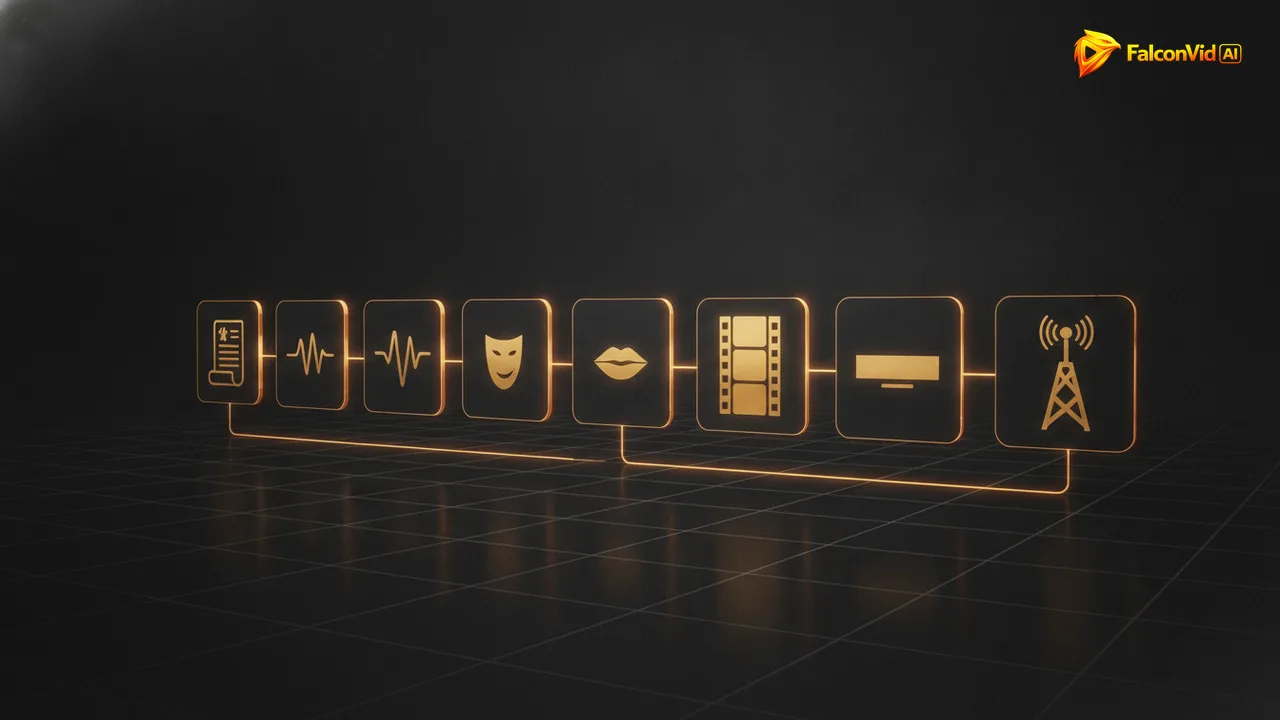
Most tutorials start at the face, which is exactly backwards. The face is the last thing that should be locked, because everything before it changes what the face has to do. Script decides length, length decides cost, voice decides pacing, and only then does the presenter get built to fit.
The order below is the one that survives contact with a real channel. Follow it and the first video takes around forty minutes of your attention, most of it spent reading the script. Skip a step and you will regenerate the avatar three times because the audio was four minutes longer than you thought.
Notice that publishing is a step, not an afterthought. A video that renders beautifully and sits in a folder is not content. Title, description, thumbnail and schedule belong to the same production run, otherwise the bottleneck simply moves to you. In FalconVid all seven run in a single pass, with the specialists working in parallel, so publishing is part of the same job instead of the step where the week stalls. That step includes the AI label each network expects, covered in the AI avatar label rules.
- 1. Write or generate the script and read it out loud once with a timer.
- 2. Pick the voice: premium synthetic or your own cloned voice.
- 3. Render the narration first, because its exact duration drives everything else.
- 4. Build the presenter: reference image, framing, wardrobe, background.
- 5. Choose the lip sync engine by budget and by how close the crop is.
- 6. Fill the rest of the runtime with b roll, generated scenes and subtitles.
- 7. Title, description, thumbnail, schedule, publish.
The face that survives 300 videos: the character sheet
A one off avatar is easy. An avatar that is recognisably the same person in episode one and episode three hundred is the actual engineering problem, because generative models have no memory between runs. They re read your description and draw a new person who fits it, and a description short enough to write fits millions of faces.
The fix is to stop describing and start anchoring. A character sheet is a small set of locked assets: one canonical reference image, a fixed framing, a fixed wardrobe, a fixed background and a fixed voice. Every future video starts from those assets instead of from adjectives, and the drift that ruins channels quietly disappears.
Choose framing on purpose too. A medium shot from the chest up hides hands, which are still the weakest part of generated video, and gives the lip sync engine a mouth big enough to be convincing without being forensic. Extreme close ups are where synthetic faces lose the argument.
- One canonical reference image, never regenerated casually.
- Fixed framing: chest up, eyes on the upper third, camera at eye level.
- Fixed wardrobe and background so cuts between videos feel like the same set.
- A name and a short bio, because writing for a character beats writing for a model.
- The voice is part of the identity: changing it reads as a new person.
- Save everything as a preset instead of retyping the prompt each time.
How FalconVid produces the whole thing while you approve the calendar
Inside FalconVid the avatar is not a separate tool you paste into an editor. You create your presenter once in the Presenter panel, with your own reference and your own settings, and it becomes part of the channel identity alongside the Channel DNA, the voice and the branding. From then on the presenter is available to every video of that channel without being rebuilt.
The production itself runs in parallel. A researcher, a scriptwriter, a narrator, an editor and a sound designer work at the same time, so a twelve minute episode is ready in up to thirty minutes instead of a weekend. You choose whether the avatar appears in every scene or only in the anchor moments, and you choose the lip sync engine, from Kling Avatar Std for volume up to OmniHuman for the shots that carry the channel.
And you approve a calendar, not a script. Topics, dates and times are approved once, then the machine writes, narrates, animates the presenter, edits, subtitles and publishes to YouTube, Instagram, TikTok, Rumble and Facebook. If a video needs a human touch you open the Studio, watch the first version and shorten the intro or swap a scene without rendering everything again.
- Presenter panel: build the avatar once, reuse it in every video of the channel.
- The script is exact: the avatar says the text you approved, word for word.
- Avatar in every scene or only at the hook, the transitions and the close.
- Four lip sync engines so quality and budget are your decision, not a default.
- Voice cloning included, instant clone or the pro training for a broadcast voice.
- Studio with a full timeline for the rare cut you want to make yourself.
- Every creation feature on every plan: nothing about avatars is locked behind a higher tier.
The five mistakes that ruin the first avatar video
The first mistake is a script written to be read, not to be spoken. Long subordinate clauses that look fine on a page turn into a monotone wall in audio, and no lip sync engine rescues a sentence with three commas and a semicolon. Read every paragraph out loud before it goes into production.
The second is putting the avatar on screen for the entire runtime because the tool allows it. Twelve minutes of a static talking head is expensive, and it is also boring, which is the part that actually costs you money in retention. The third is extreme close ups, where every artefact around the teeth and the eyes becomes the subject of the video.
The fourth is mismatched energy: a calm face delivering an excited script, or the reverse. The fifth is treating the first render as final. Watch it once at full speed, note the three worst seconds, fix only those, and publish. Perfection on video one is the most common reason channel two never exists.
- Sentences longer than twenty words sound robotic no matter the engine.
- Full talking head for twelve minutes: expensive and low retention.
- Extreme close ups expose teeth, eye corners and hairline artefacts.
- Energy mismatch between face and script breaks the illusion faster than pixels.
- Chasing perfection on the first video is how channels die at zero.
From one video to a channel: languages, networks and volume
One avatar video is a demo. A channel is a calendar. The moment the format works, the question becomes how many episodes per week you can sustain, and that is where the manual route hits its ceiling: one person editing one video at a time can hold two or three a week before quality slides.
The automated route does not have that ceiling. Generations run in parallel, from two at a time on Starter up to 50 at a time on Scale, so five videos are produced simultaneously rather than queued behind each other. The same presenter can also front the same channel in another language, and duplicating a project into a new language costs only the difference, not a second production.
The math is simple once you separate the modes. Starter includes 15,000 credits, which realistically means around 4 videos a month mixing economy with one in balanced, or 9 videos if you stay in pure economy. Pro gives 30,000 credits and 5 channels, Business 95,000, Agency 190,000 and Scale 320,000 credits, 50 channels and 50 simultaneous generations. Remember that avatar seconds are billed on top of the video itself, so plan the face time, not just the episode count.
- Publishing to YouTube, Instagram, TikTok, Rumble and Facebook from the same run.
- 63 narration languages, so one format can open several markets.
- Duplicate the project into another language paying only the difference.
- Parallel generations: 2 on Starter, 5 on Pro, up to 50 on Scale.
- A twelve minute video costs 1,584 credits in economy, 9,000 in balanced, 27,084 in premium.
- Avatar time is billed per second on top, which is why face time is a planning decision.